


The Quick Heal Total Security antivirus is a comprehensive security solution that helps protect your PC from malware, viruses and other online threats. It is an easy-to-use security tool that can be used to protect your devices from online threats. Get complete protection from online threats with Quick Heal Total Security Antivirus. Don't let your computer become exposed to harmful cyber-attacks! Learn how to easily download and install Quick Heal Total Security Antivirus now.
To download this software, simply go to the official website, select the version of the program you want to download and then follow the onscreen instructions. After downloading, run the installation file and follow the steps to complete the setup process -you can then start using Quick Heal Total Security antivirus to keep your device safe and secure.
Quick Heal Total Security is an antivirus software solution designed to protect your computer from malicious online threats. It has advanced features that can protect your computer from viruses, malware, spyware, and other malicious programs. It also includes a range of additional features such as a secure browser, parental control, data backup, and a password manager.
Quick Heal Total Security Antivirus Latest software download link. Click Here www.quickheal.co.in/installer.
Enter the Quick Heal Total Security Key & click Submit.
Click on 1st option Download (for Windows 10 or 11). Click the 2nd option Download - For Windows 7.
You will get the Latest Quick heal Total Security Antivirus Setup Downloader.
In this video we have shown you all process of Quick heal total security antivirus download, installation and activation step by step.
Double click on "Quick Heal Setup Downloader" (which we have downloaded).
Click "Yes" on administrative notification.
Click the "check box" of User License Agreement & Privacy policy and click on the button "Let's start".
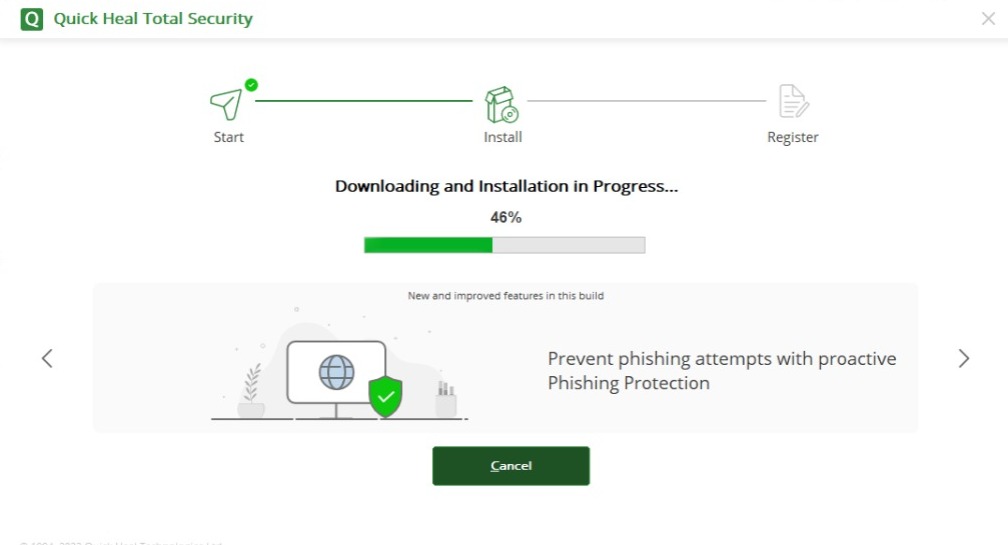
Latest setup "downloading & installation" process will start.
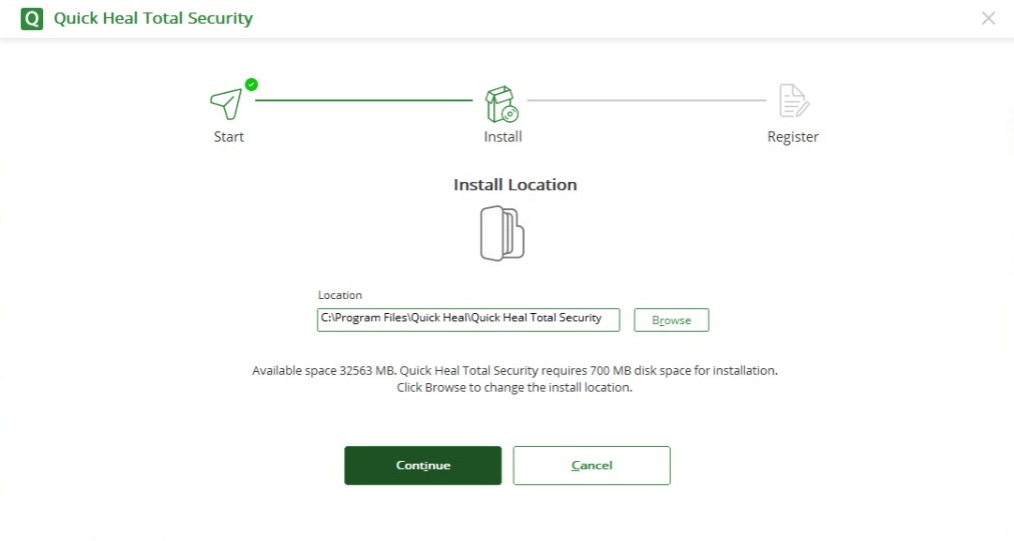
It will ask for installation location, don't change location and "Click Continue".
Your "Quick Heal Total Security Antivirus" gets installed.
Open 'Quick heal Antivirus'.
Click on 'Activate Now'
Click on 'Yes'.
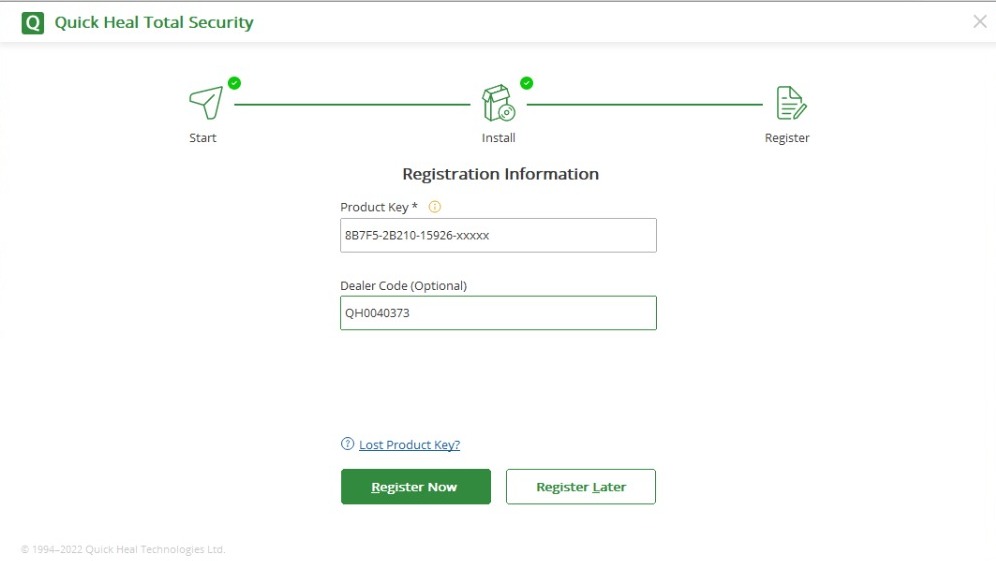
Enter the 'Product key'. Enter dealer code (QH0040373).
Enter your information & 'Click Register'.
Login with our website.
Select "Quick Heal Total Security 1 User 1 Year" Antivirus.
Click on "Buy Now" Button.
Click on "Proceed to Checkout" Button.
Click on "Pay Now" Button.
Select your "Payment method & Pay".
Automatically deliver in "1 second only" (on Email & Whatsapp).
Valid for both "Fresh Installation & Renewal".
Valid on "1 PC for 1 Year".
"GST Bill" @18%. ( You will get Bill on Email).